Direct Answer
How does parking technology help drivers?
Parking technology can help drivers plan, enter, pay, locate eligible spaces, manage accounts, and exit through tools such as online reservations, mobile and contactless payments, license plate recognition, digital credentials, parking guidance, and remote assistance. Available features and procedures vary by facility, so drivers should follow the location's posted and reservation instructions.
Introduction
Parking technology can affect almost every stage of a trip.
Before arriving, a driver may use an online reservation system to select a facility and review parking instructions. At the entrance, a license plate, QR code, ticket, or digital credential may authorize access. Inside the facility, signs or parking-guidance tools may help identify available areas. Payment may be completed through a mobile device, contactless card, digital wallet, kiosk, or online account.
These technologies can reduce some of the manual steps involved in parking, but the experience is not identical at every location.
A facility may use:
- One technology for entry and another for exit
- Different procedures for reservations and drive-up parking
- Separate access methods for monthly customers
- Mobile payment without a required application
- License plate recognition (LPR) as one part of a broader access system
- Digital assistance alongside on-site team members
- Parking guidance by garage, level, zone, or individual space
Drivers should follow the instructions for the specific location rather than assume that every garage or lot uses technology in the same way.
This guide explains the parking technologies drivers may encounter, how they fit into the parking journey, and what to do when a digital process does not work as expected.
What Is Parking Technology for Drivers?
Parking technology for drivers includes digital tools and connected systems that support parking planning, access, payment, wayfinding, account management, assistance, and exit.
Common examples include:
- Online parking reservations
- Mobile parking payments
- Contactless card payment
- Digital wallets
- License plate recognition
- QR codes and barcodes
- Digital parking credentials
- Parking guidance systems
- Occupancy information
- Mobile parking apps
- Online monthly-parking accounts
- Digital validations
- Remote assistance
- Digital receipts
Some technologies are visible to drivers, such as a payment sign or garage-availability display. Others work in the background by connecting a license plate, reservation, permit, or payment with the facility's access system.
Technology does not mean that a parking facility is completely automated. Employees may still assist drivers, answer questions, monitor equipment, manage exceptions, and coordinate responses when a system cannot complete the standard process.
Parking Technology Across the Driver Journey
| Stage of the parking journey | Technology a driver may encounter | What the driver may need to do |
|---|---|---|
| Planning | Online reservations, location search, maps, facility information | Select the correct location, dates, times, and parking type |
| Before arrival | Confirmation email, mobile account, digital credential | Review the entrance, access method, vehicle information, and policies |
| Entry | LPR, QR code, barcode, access card, ticket, mobile credential | Use the correct lane and follow the confirmation or posted instructions |
| Finding parking | Availability signs, zone counts, space indicators, digital wayfinding | Follow signs and park only in an eligible area |
| During the stay | Mobile account, validation, EV charging information, digital support | Keep the reservation or credential available and follow facility rules |
| Payment | Mobile web payment, app payment, digital wallet, contactless card, kiosk | Confirm the facility, rate, plate, parking session, and payment status |
| Exit | LPR, prepaid reservation, validated ticket, QR code, access credential | Follow the correct exit method and pay any applicable additional amount |
| After parking | Digital receipt, account history, customer-support portal | Save the receipt and contact the identified provider with account questions |
A facility may use only some of these tools. Entry, payment, and exit may also use different technologies.
Online Parking Reservations
Online reservations allow drivers to arrange parking before arriving.
A reservation system may ask for:
- Parking location
- Arrival and departure dates and times
- Parking option
- Contact information
- Vehicle or license plate information
- Payment
- Travel information when relevant to an associated service
After booking, the driver typically receives a confirmation with facility-specific instructions.
A reservation may help a driver confirm the parking location, understand the arrival process, compare available options, and save a record of the booking.
It does not always provide an assigned or numbered space. It may instead authorize access to general available parking within a facility or parking category.
Cancellation, modification, refund, early-arrival, and delayed-return policies vary.
For the complete booking and facility-use process, read How Parking Reservations Work.
License Plate Recognition
License plate recognition, or LPR, uses cameras and software to read vehicle license plates.
Depending on the facility, the plate may be connected to:
- A parking reservation
- A monthly account
- A digital permit
- Entry or exit
- Payment
- Validation
- Parking enforcement
- An approved user group
What Drivers Should Know About LPR
Enter the license plate accurately whenever it is requested.
Review:
- Letters and numbers
- Registration state or province
- Vehicle selected in the account
- Temporary, rental, or replacement vehicles
- Instructions for updating the plate
An incorrect or outdated plate may affect access, payment verification, or parking compliance.
License plate and vehicle-data practices vary by facility and technology provider. Drivers with questions about how that information is collected, used, or retained should review the applicable privacy notice or contact the provider identified by the facility.
Does LPR Replace Tickets or Cards?
At some locations, LPR may reduce or replace the need for a ticket, card, or other credential.
At other facilities, it works alongside another process.
A driver may still need to:
- Scan a reservation
- Take a ticket
- Complete payment
- Use a credential
- Speak with an employee
- Follow a separate exit process
What If the Camera Does Not Read the Plate?
Do not reverse or change lanes unless signs or an employee direct you to do so.
Depending on the location, assistance may be available through:
- An intercom or help button
- A customer-support number
- An on-site parking office
- An employee
- The reservation or account provider
Keep the reservation, account, or payment information available.
QR Codes, Barcodes, and Digital Credentials
Parking facilities may use QR codes, barcodes, or digital credentials to connect a driver with a reservation, permit, monthly account, validation, or access right.
QR Codes and Barcodes
A parking confirmation may include a code that the driver scans:
- At entry
- At exit
- At a payment or validation device
- During valet check-in
- When requesting a vehicle
Before arriving:
- Open the confirmation.
- Increase screen brightness when needed.
- Display the complete code.
- Save the original email or account information.
- Consider taking a screenshot when mobile service may be limited.
Scan the code only where the facility or reservation instructions direct you to do so.
Digital Credentials
A digital credential may be stored in:
- A mobile parking app
- An online account
- A digital wallet
- A text or email link
- A building or employer application
- A monthly-parking account
Drivers should confirm:
- Where the credential is accepted
- Whether it works for both entry and exit
- Whether internet or Bluetooth access is required
- Whether it is tied to one vehicle or user
- What to do if the phone is unavailable
Mobile and Contactless Parking Payments
Parking facilities may offer:
- Mobile web payment
- QR code payment
- Text-to-pay
- Mobile parking apps
- Contactless credit or debit cards
- Digital wallets
- Online prepayment
- Payment kiosks
- Digital validation
App-Free Mobile Payment
Some mobile payment options work through a browser without requiring an application download.
The driver may need to:
- Scan a posted QR code.
- Confirm the parking location or zone.
- Enter a license plate or space number.
- Select the parking time or rate.
- Complete payment.
- Confirm that the session is active.
Mobile Parking Apps
A parking app may allow drivers to:
- Pay for parking
- Extend a session when permitted
- Manage reservations
- Save vehicle information
- Access receipts
- Manage a monthly account
- Review parking history
- Save a parking location
Not every facility requires an app, and app features vary.
Contactless Cards and Digital Wallets
Some equipment accepts tap-enabled cards, smartphone wallets, smartwatches, or other contactless methods.
Availability depends on the equipment and payment provider.
What to Confirm Before Leaving the Vehicle
Verify:
- Correct facility or zone
- Correct license plate or space number
- Parking date and time
- Required duration
- Displayed rate and fees
- Payment confirmation
- Session expiration
A payment should not be treated as complete until the system displays a confirmation, receipt, or active parking session.
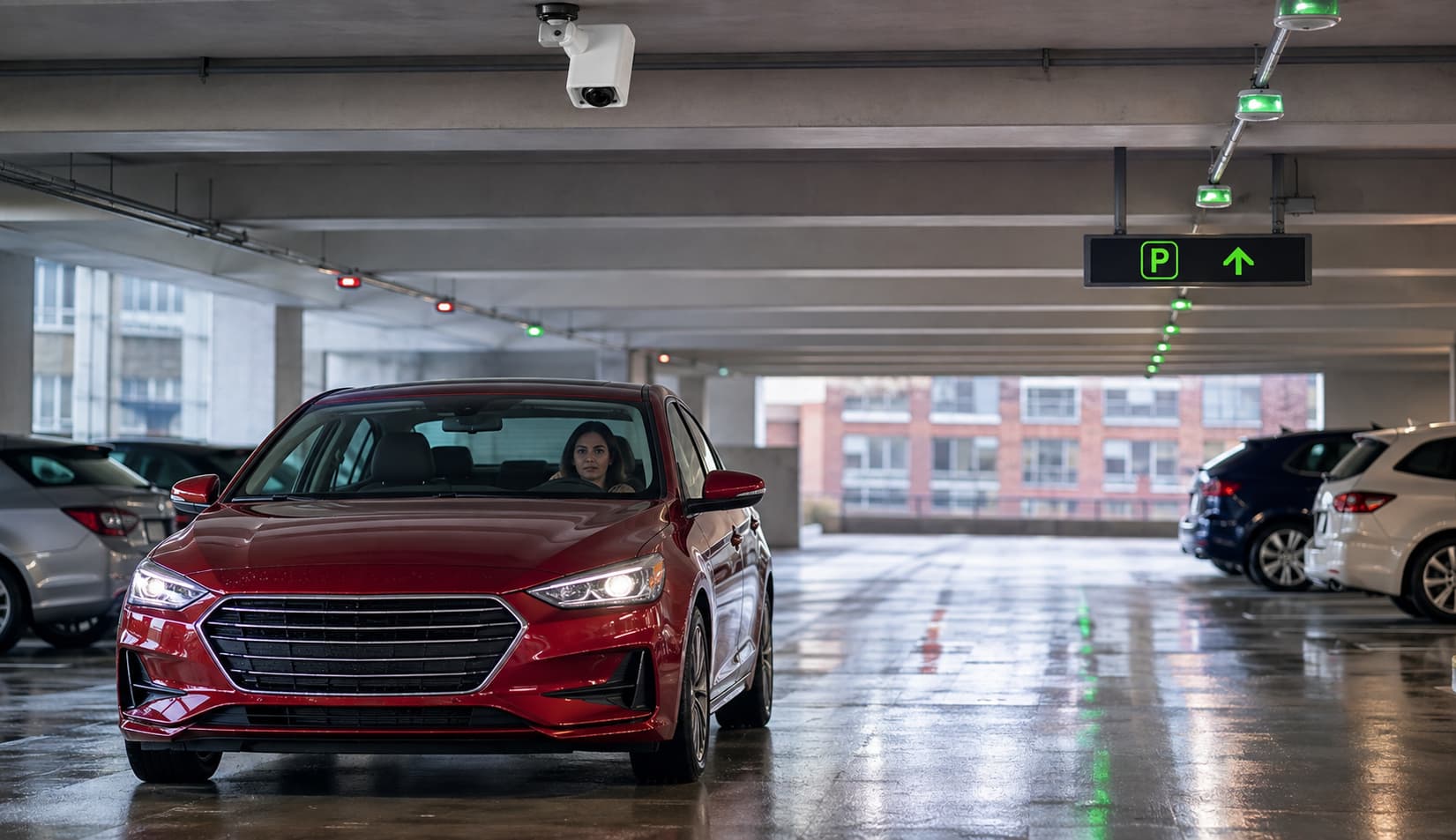
Parking Guidance and Availability Information
Parking guidance systems provide information intended to help drivers identify areas where space may be available.
Depending on the facility, guidance may include:
- Garage-availability signs
- Level or zone counts
- Red and green overhead indicators
- Space sensors
- Digital directional signs
- Mobile availability information
- Entrance displays
Availability information may refer to a complete facility, garage, level, zone, parking category, or individual space.
Drivers should continue to follow signs and restrictions. An indicated open space may still be designated for:
- Accessible parking
- EV charging
- Monthly customers
- Assigned users
- Valet
- Employees
- Tenants
- Residents
- Oversized vehicles
- Another restricted category
Parking Guidance Does Not Guarantee a Space
Availability may change as vehicles enter, leave, or move through the facility.
Follow current signs, lane directions, and parking restrictions.
Digital Parking Accounts and Mobile Apps
Depending on the provider, a digital account may allow a driver to:
- Save vehicle information
- Manage license plates
- Review reservations
- Update billing information
- Download receipts
- Review transaction history
- Access digital credentials
- Manage an eligible monthly-parking account
- Contact customer support
Keep vehicle and payment information current, especially when access is connected to a license plate or account credential.
A facility may use separate providers for reservations, monthly parking, mobile payments, violations, or valet service. Check the confirmation, receipt, sign, or account page for the appropriate contact.
For more information about recurring accounts and agreements, read Monthly Parking Explained.
Remote Assistance and Customer Support
Parking technology may allow drivers to request help through:
- Entry or exit intercoms
- Help buttons
- Video or audio support
- A telephone number
- Text support
- Online chat
- A mobile application
- An on-site employee or parking office
Remote support may assist with:
- Access questions
- Reservation verification
- Lost tickets
- Payment problems
- Equipment issues
- Exit difficulties
- General parking instructions
Some situations may require an on-site response or contact with a separate reservation, payment, monthly-parking, or account provider.
How Parking Technology May Benefit Drivers
Depending on the facility, parking technology may provide:
- More information before arrival
- Additional payment options
- Digital reservations or credentials
- Reduced reliance on some physical tickets or permits
- Online account and receipt access
- Parking guidance by garage, level, or zone
- Additional ways to request assistance
These benefits depend on the technology, facility, operating process, and accuracy of the information provided.
Technology may simplify certain steps, but it does not guarantee faster entry, space availability, or a problem-free experience.
What to Review Before Using Parking Technology
Confirm the Correct Location
Check the:
- Facility name
- Address and entrance
- Garage or lot
- Reservation provider
- Parking zone
- Valet or self-parking option
Read the Instructions Before Entering
Determine whether you should:
- Use LPR
- Scan a code
- Take a ticket
- Use an access card
- Enter a confirmation number
- Check in with a team member
- Pay before or after parking
Enter Vehicle Information Carefully
Confirm the license plate and selected vehicle.
Update rental, temporary, or replacement vehicles when the account permits it.
Prepare the Phone Before Driving
Before reaching entry or exit equipment:
- Open the confirmation or app.
- Increase screen brightness.
- Check the battery.
- Confirm that the correct account is open.
- Save important information offline when possible.
Do not handle a phone while driving.
Review Rates and Fees
Review:
- Rate
- Taxes
- Service or transaction fees
- Reservation fees
- Session length
- Extension terms
- Additional-time charges
- Cancellation or refund terms
Confirm Payment
When payment is required, confirm that the transaction or parking session is complete before leaving the vehicle.
Save a receipt or confirmation when available.
Know Where to Get Help
Note the contact information shown on the facility's signs, equipment, reservation, payment confirmation, account page, or website.
What to Do When the Technology Does Not Work
The Reservation Is Not Recognized
Check:
- Correct facility
- Arrival date and time
- Parking option
- License plate
- QR code
- Entry lane
Use the assistance method identified at the facility or in the confirmation.
The License Plate Is Not Recognized
Confirm that the plate was entered correctly and that the correct vehicle is active in the account.
Do not repeatedly back up or move between lanes unless directed.
A QR Code Will Not Scan
Try:
- Increasing screen brightness
- Cleaning the phone screen
- Displaying the complete code
- Removing screen magnification
- Opening the original confirmation or account
- Following the posted assistance process
The Mobile Payment Will Not Complete
Confirm:
- Location or zone
- License plate or space number
- Payment method
- Internet connection
- Whether another approved payment method is available
When payment is required, confirm that the transaction or parking session is complete before leaving the vehicle.
The Phone Battery Is Low or Dead
Use an available alternative identified by the facility, such as:
- Physical card
- Payment kiosk
- Confirmation number
- Registered license plate
- Intercom
- Employee assistance
Available alternatives vary.
The Exit Does Not Open
Confirm whether you need to:
- Scan the reservation
- Insert or validate a ticket
- Complete payment
- Use an access credential
- Allow the system to read the plate
Use the help button or posted support method when the standard process does not work.
You Need a Receipt
Check:
- Spam or junk folder
- Mobile application
- Online account
- Reservation history
- Payment provider
Use the contact identified on the transaction when another receipt is needed.
Common Misconceptions About Parking Technology
“Every modern parking facility uses the same technology.”
Facilities use different combinations of reservations, tickets, mobile payment, LPR, credentials, gates, guidance, and support.
“License plate recognition means I never need another credential.”
LPR may work alongside a reservation, permit, card, payment, ticket, or other process.
“Parking guidance guarantees an available space.”
Guidance provides current information, but availability may change and parking restrictions still apply.
“Digital parking always requires an app.”
Some systems use mobile web pages, text messages, QR codes, digital wallets, contactless cards, or license plates without requiring an application.
“Technology eliminates the need for parking employees.”
Employees remain important for assistance, exceptions, equipment response, valet service, and daily operations.
“A digital payment is complete as soon as I enter my information.”
Look for a payment confirmation, receipt, or active parking session.
“Parking technology always makes entry or exit faster.”
Timing still depends on the facility, demand, traffic, equipment, customer readiness, and operating procedures.
Frequently Asked Questions
What is parking technology?
Parking technology includes digital tools and connected systems that support reservations, access, payment, wayfinding, account management, assistance, and exit. Common examples include mobile payment, license plate recognition, QR codes, digital credentials, and parking guidance.
How does parking technology help drivers?
Parking technology can give drivers more information, payment options, access methods, account tools, and ways to request assistance. The benefit depends on the facility, the technology used, and whether the correct process is followed.
What is license plate recognition parking?
License plate recognition parking uses cameras and software to read a vehicle's license plate. The plate may be connected to a reservation, permit, monthly account, access system, payment, or compliance process.
Do I need an app to use digital parking?
Not always. Some facilities use mobile web payment, QR codes, text-to-pay, contactless cards, digital wallets, license plates, or browser-based accounts without requiring an app.
How do mobile parking payments work?
The driver generally identifies the parking location or zone, enters a license plate or space number, selects the parking period or rate, completes payment, and confirms that the parking session is active. The exact process varies.
Are online parking reservations the same as parking guidance?
No. A reservation arranges parking access for a selected period. Parking guidance provides information about where spaces may currently be available within a facility or area.
Does license plate recognition replace a parking ticket?
It may at some facilities, but not at every location. Follow the instructions to determine whether you also need a ticket, reservation, card, QR code, payment, or another credential.
What should I do if a parking QR code does not scan?
Increase screen brightness, display the complete code, open the original confirmation or account, and follow the facility's posted assistance process. Do not use another lane unless instructed.
Can I manage monthly parking online?
Some providers allow monthly customers to manage vehicles, billing, credentials, receipts, and account information online. Features and policies vary by provider and facility.
Are mobile parking payments secure?
Mobile parking payment systems use different providers and security practices. Use only the payment method identified on the facility's official signs, reservation confirmation, or website. Confirm the facility or zone before paying, and direct specific payment-security or privacy questions to the provider identified for the transaction.
Final Thoughts
Parking technology can support each stage of a parking trip, from planning and reservations to entry, payment, wayfinding, assistance, and exit.
The most important point for drivers is that every facility may use a different process.
Before arriving:
- Confirm the facility and entrance.
- Review the access method.
- Check the license plate and vehicle information.
- Have the reservation or credential available.
- Understand when and how payment is completed.
- Save the appropriate support information.
Technology can reduce some manual steps and provide more ways to manage parking, but drivers should still follow posted instructions and contact the identified provider when the standard process does not work.
Find a Propark parking location and review the payment, access, reservation, and technology options available for your destination.